Skip to content
ccmods.app

token-optimizer

Finds where your context tokens go, trims the waste, and helps sessions survive compaction without losing quality.

by @alexgreensh2,540Updated Broad accessGitHub

Installation

  1. Install from your shell (answer y to add the marketplace)

    $ claude plugin install token-optimizer --marketplace alexgreensh/token-optimizer

Already in a session? Type this at the Claude Code prompt:

$ /plugin install token-optimizer --marketplace alexgreensh/token-optimizer

Pick a scope and the mod is active right away. Needs Claude Code 2.1.287 or later, in a terminal. Full install guide

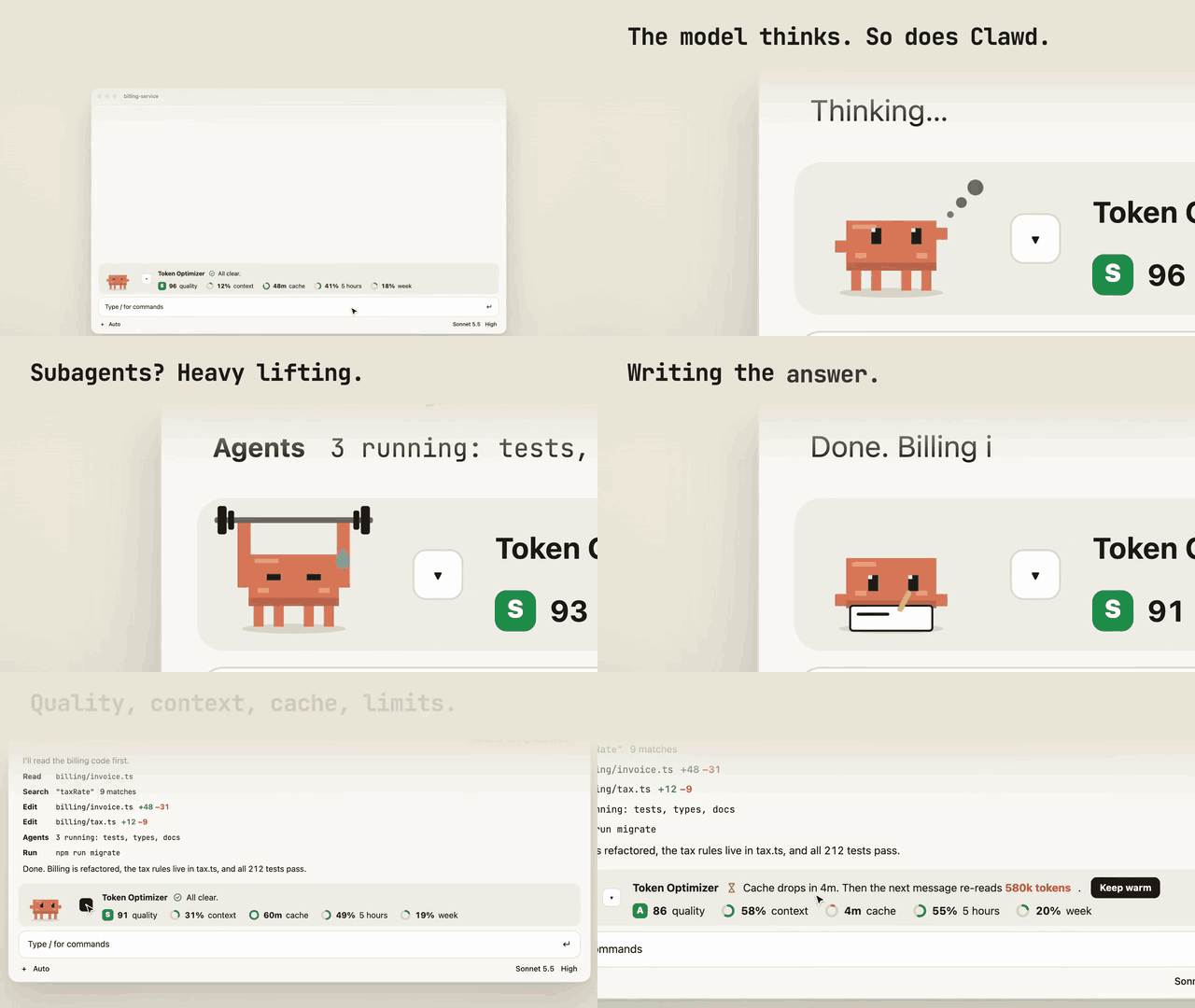
token-optimizer running in Claude Code
Image from the project README

What does token-optimizer do?

  • A band above the prompt shows quality grade, context fill, cache countdown, 5-hour and weekly limits
  • Band buttons for Clean up (guided compaction), Start fresh (checkpoint and clear) and Keep warm
  • Hooks compress bash and search output, send diffs for file re-reads and checkpoint before compaction
  • /token-optimizer runs a full audit with guided fixes; /token-coach gives 30-day trend analysis
  • An HTML dashboard of tokens and dollar savings regenerates after every session

What do you need?

  • Claude Code 2.1.287 or later (terminal)
  • Python 3.9+

What can this mod access?

Read from the mod's code with claude plugin validate on Claude Code 2.1.296, synced Oct 12, 2026. This is a capability list, not a security audit. Mods run with your permissions, so install only from authors you trust.

Broad access
  • Runs programs on your machine
  • Intercepts or rewrites tool calls
  • Reads or rewrites your prompts
  • Reads files
  • Reads environment variables or settings
  • Calls models on your plan (uses quota)
Hooks and engine calls (13 + 21)

hooks

  • agent.spawn
  • classic.PermissionRequest
  • classic.SessionStart
  • classic.Stop
  • classic.UserPromptSubmit
  • prompt.submit
  • session.compact
  • session.start
  • tool.call
  • turn.complete
  • turn.start
  • turn.step
  • ui.render{component=AbovePrompt}

calls

  • $.clock.after
  • $.clock.every
  • $.clock.now
  • $.command.run
  • $.env.get
  • $.fs.list
  • $.fs.read
  • $.fs.stat
  • $.model.fork
  • $.process.run
  • $.session.cwd
  • $.session.id
  • $.session.usage
  • $.state.get
  • $.state.set
  • $.store.delete
  • $.store.get
  • $.store.set
  • $.ui.log
  • $.ui.resolve
  • $.ui.toast

How do you uninstall token-optimizer?

$ claude plugin uninstall token-optimizer

To switch it off without removing it, use claude plugin disable with the same name.

contextsaver

AlmogBaku/ContextSaver

26

Stops wasteful tool calls in real time so Claude Code spends fewer tokens on work that does not help.

UIPromptToolsBroad access
$ claude plugin install contextsaver --marketplace AlmogBaku/ContextSaver

navigator

qf-studio/navigator

356

Context engineering for Claude Code that keeps long sessions on track so work gets finished instead of derailed.

UIPromptToolsBroad access
$ claude plugin install navigator --marketplace qf-studio/navigator

lcm

lossless-claude/lcm

54

Lossless context management for Claude Code: keep the full history reachable instead of losing it to compaction.

PromptToolsWorkflowBroad access
$ claude plugin install lcm --marketplace lossless-claude/lcm