Skip to content
ccmods.app

skins

Restyles Claude Code with icon tool rows, diff, table and Mermaid cards, a usage band and fifteen themes; /skin swaps them live.

by @hellosverre104Updated Broad accessGitHub

Installation

  1. Install from your shell (answer y to add the marketplace)

    $ claude plugin install skins --marketplace hellosverre/claude-skins

Already in a session? Type this at the Claude Code prompt:

$ /plugin install skins --marketplace hellosverre/claude-skins

Pick a scope and the mod is active right away. Needs Claude Code 2.1.287 or later, in a terminal. Full install guide

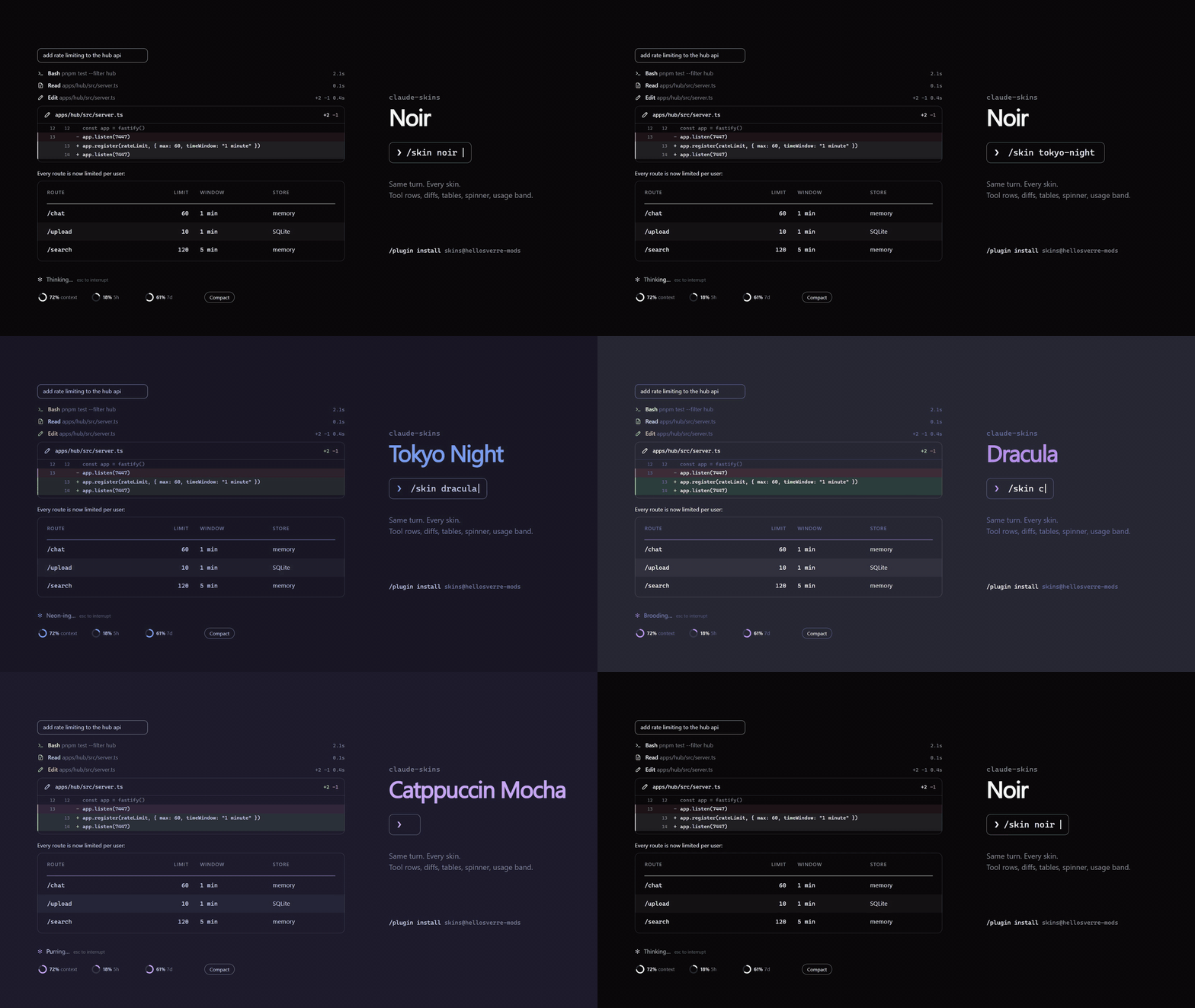
skins running in Claude Code
Image from the project README

What does skins do?

  • /skin switches among fifteen skins such as noir, tokyo-night, dracula and gruvbox
  • Draws tool calls with icons and timings, edits as diff cards, and tables and code as cards
  • Renders mermaid fences as charts and math as typeset cards
  • Shows context and plan-limit meters with a Compact button above the prompt
  • Ask Claude to design a skin and it builds and applies it with a design tool

What do you need?

  • Claude Code 2.1.287 or later (terminal)

What can this mod access?

Read from the mod's code with claude plugin validate on Claude Code 2.1.296, synced Oct 12, 2026. This is a capability list, not a security audit. Mods run with your permissions, so install only from authors you trust.

Broad access
  • Runs programs on your machine
  • Makes network requests
  • Intercepts or rewrites tool calls
  • Reads or rewrites your prompts
  • Reads files
  • Reads environment variables or settings
Hooks and engine calls (26 + 24)

hooks

  • classic.SessionStart{source=clear|resume|fork}
  • command.run{command=skin}
  • config.set
  • engine.create
  • prompt.compose
  • session.append
  • session.measure
  • session.start
  • skins.markdown
  • tool.call
  • tool.call{tool=/"^mcp__skins__design$"/}
  • turn.complete
  • turn.start
  • ui.invalidate
  • ui.render{component=AbovePrompt}
  • ui.render{component=AskUserQuestion}
  • ui.render{component=AssistantMessage}
  • ui.render{component=CommandOutput}
  • ui.render{component=Pane, requestId=skins-gallery}
  • ui.render{component=Pane, requestId=skins-settings}
  • ui.render{component=Spinner}
  • ui.render{component=ToolGroup}
  • ui.render{component=ToolResult}
  • ui.render{component=ToolUse}
  • ui.render{component=TurnDuration}
  • ui.render{component=UserMessage}

calls

  • $.clock.after
  • $.clock.every
  • $.clock.now
  • $.clock.sleep
  • $.command.register
  • $.command.run
  • $.config.list
  • $.env.get
  • $.fs.read
  • $.http.fetch
  • $.process.run
  • $.session.cwd
  • $.session.id
  • $.session.usage
  • $.state.get
  • $.state.set
  • $.store.get
  • $.store.set
  • $.tool.register
  • $.ui.copy
  • $.ui.log
  • $.ui.open
  • $.ui.resolve
  • $.ui.toast

How do you uninstall skins?

$ claude plugin uninstall skins

To switch it off without removing it, use claude plugin disable with the same name.

human-in-the-loop

tzafrir/human-in-the-loop

22

Claude assigns you the tasks only you can do; they wait in a pane until you answer, and your answer goes back to Claude.

UIPromptToolsBroad access
$ claude plugin install human-in-the-loop --marketplace tzafrir/human-in-the-loop

cc-pr-tracker

sezaakgun/cc-pr-tracker

5

Watches your GitHub pull requests from Claude Code: merge state, reviews and required checks above the prompt, with alerts.

UIPromptToolsBroad access
$ claude plugin install cc-pr-tracker --marketplace sezaakgun/cc-pr-tracker

replay-theater

anthropics/claude-code-playground

210

Anthropic's sample mod that adds /replay to step through the file edits Claude made in the last turn.

Anthropic sampleUIToolsCommandsModerate access
$ claude plugin install replay-theater --marketplace ./claude-code-playground/claude-code/mods